What if your store could style itself? Our new AI-powered design feature turns your ideas—and even your images—into ready-to-apply, on-brand themes with one click. Describe a vibe like “Scandinavian…
What if your store could style itself? Our new AI-powered design feature turns your ideas—and even your images—into ready-to-apply, on-brand themes with one click. Describe a vibe like “Scandinavian minimalism with warm neutrals,” upload a reference image if you have one, and you’ll get three curated theme options to preview instantly.
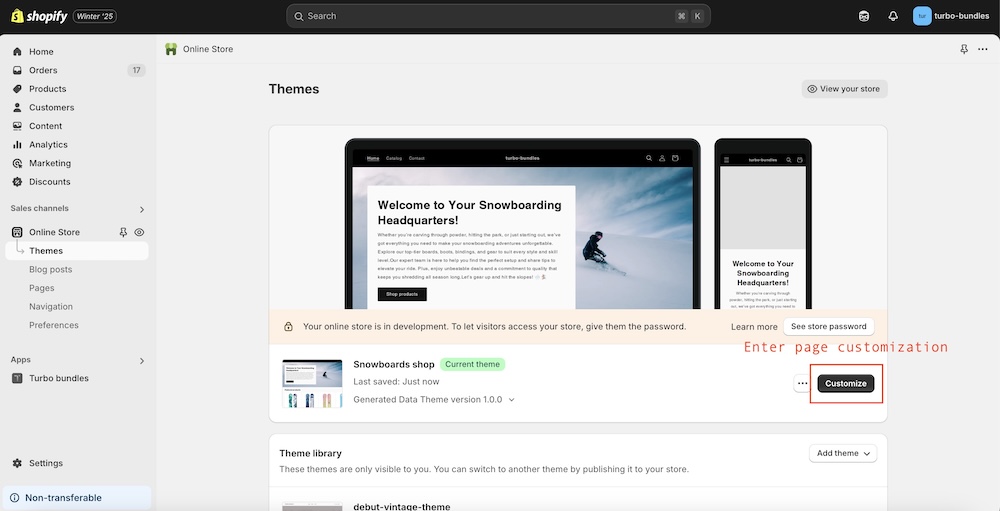
Demo in shopify admin
Why this matters for merchants - Speed to beautiful: Go from blank canvas to polished design in seconds, not days. - On-brand, not generic: Use a photo of your packaging, a holiday visual, or a moodboard to guide the AI’s choices. - Experiment safely: Preview multiple options and switch back at any time—no irreversible changes. - Seasonal agility: Create variants for Halloween, BFCM, and Christmas without redoing your whole theme. - Data-driven design: Spin up A/B variants quickly; test hero color, accents, and typography for conversion. - Consistency at scale: Ensure palettes and spacing stay coherent across pages and campaigns. - Great for new stores: Get a credible starting point that looks like a pro touched it.
The UI uses this to update palette, typography, spacing, and component treatments in real time.
When to use the image option - Brand anchoring: Upload your packaging, logo grid, or a product flatlay to pull the exact tones and textures. - Seasonal campaigns: Drop a holiday graphic and ask for “festive but premium; reds muted, gold accents.” - Competitor/mood inspiration: Use a moodboard or a storefront photo you admire to inspire—but not copy—the vibe.
Tips for great results - Be descriptive: “Warm, editorial, airy, generous whitespace, serif headings, cozy coffee-house palette.” - Mention use-cases: “Optimized for average order value; bold call-to-action; clear price contrasts.” - Constrain palette: “Two-color palette only; monochrome with a single accent of coral.” - Attach a strong reference: Clean, well-lit images with clear colors yield better palettes.
Trust and safety - Privacy: Images are processed for design extraction and not retained beyond what’s needed for your job. - Control: You preview before saving. You can revert or try again without risk.
What this unlocks for shop owners - Rapid campaign theming: Create a “Summer Sale” look in 30 seconds, then roll into “Back to School” without designer bottlenecks. - Localized aesthetics: Generate variants tuned to different markets’ tastes and languages; match typography to region norms. - Category-specific vibes: Make skincare pages softer and tech pages sharper from the same theme base. - A/B/n theme experiments: Test hero color warmth, styles, or type hierarchy to find what converts.
Ready-to-use image prompts (for a generator) - “A tasteful ecommerce moodboard in neutral tones with soft textures, cream and sage palette, elegant serif headings.” - “Festive storefront moodboard: deep forest green, muted red accents, gold foil texture, premium holiday packaging.” - “Playful candy-shop vibe: bold pastels, rounded buttons, bubbly typography, optimistic, high-contrast UI elements.”
Ready to give your store a fresh look? Describe your vibe, drop a reference image, and let the AI give you three beautiful, on-brand options. Preview them live, pick your favorite, and ship it today. - Try it with a product photo: See how your packaging’s exact colors turn into a theme. - No risk: Preview and revert anytime. - Endless variations: Seasonal, localized, or campaign-specific—without starting from scratch.