BOGO (Buy One, Get One) deals are a powerful marketing strategy to increase your average order value and clear inventory. While the name suggests getting one item free, the "Buy X, Get Y" model is flexible, and you can configure various promotions like "Buy 2, Get 1 Free" or even "Buy 1, Get 2 Free."
With Turbo Bundles, you can easily create these types of offers using product bundles and percentage-based discounts. Here’s how:
How to create a classic "Buy 1, Get 1 Free" deal
In this classic scenario, your customer buys two of the same item, but only pays for one. This is equivalent to a 50% discount on each item when two are purchased.
To set it up in Turbo Bundles:
- Navigate to the Bundles section in the app and click Create bundle.
- Give your bundle a title, for example, "BOGO: Buy One Get One Free!"
- In the "Products" section, select the product you want to offer this deal on.
- Set up your discount:
- Quantity: 2 (The deal applies when 2 items are in the cart).
- Discount Type: Percentage.
- Discount Amount: 50%.
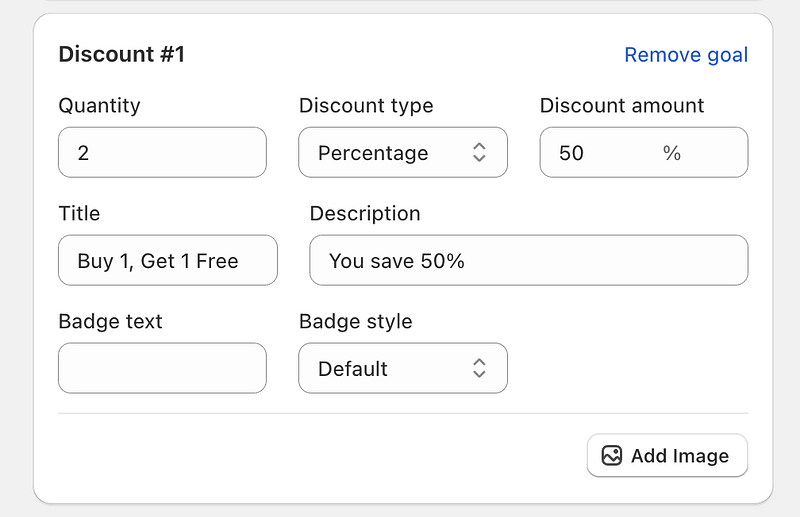
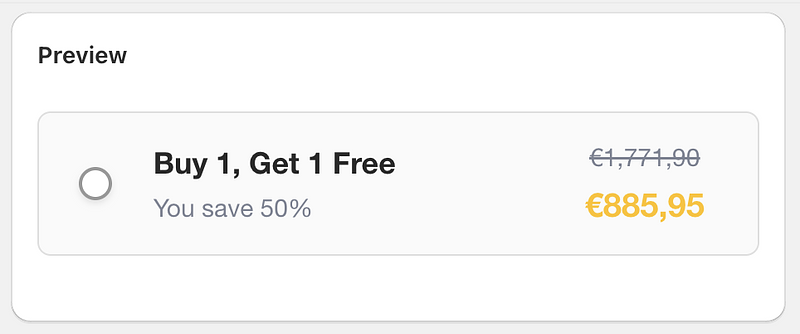
This configuration ensures that when a customer adds two of the selected items to their cart, they will receive a 50% discount on the total price of those two items, effectively making one of them free.
Advanced BOGO Deals: "Buy 2, Get 1 Free"
Let's create a "Buy 2, Get 1 Free" offer. Here, the customer gets 3 items in total, with one of them being free.
- Total items in the deal: 3
- Free items: 1
- Discount Calculation: (1 free item / 3 total items) * 100% = 33.33%
To set it up in Turbo Bundles:
- Create a new bundle and select your product(s).
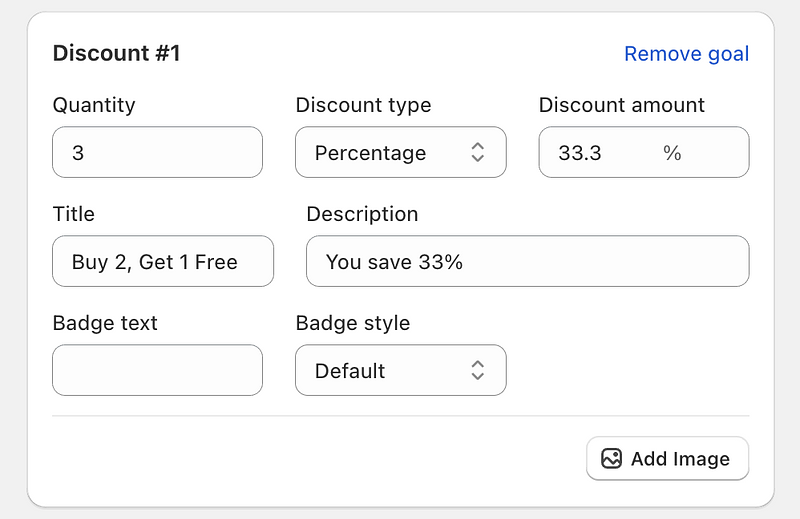
- Set up the discount with the following values:
- Quantity: 3
- Discount Type: Percentage
- Discount Amount: 33.33%
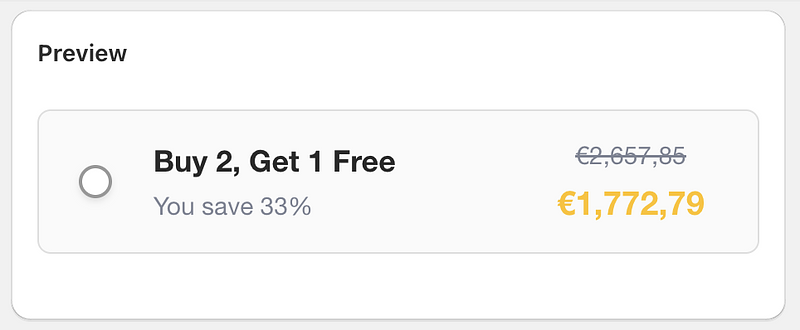
You can use this formula to create any variation of a "Buy X, Get Y" deal.